When building a property platform, following a strict real estate website design checklist is essential to convert casual visitors into qualified property buyers. The most critical elements to include are a mobile-responsive design, fast-loading property listings, built-in local SEO, seamless CRM integration, and clear call-to-action buttons. Ensuring these features are professionally implemented will help you build trust with homebuyers, showcase your properties effectively, and maximize your digital marketing return on investment.
What should be on a real estate website design checklist?
A complete real estate website design checklist must include a mobile-responsive layout, fast-loading property listings, local SEO optimization, clear call-to-actions, and client testimonials. Additionally, including CRM integration and virtual tours helps property developers capture more leads, build credibility, and streamline their online sales process.
Real Estate Website Design Checklist: Don’t Miss These Elements
The property market is highly competitive. Today, the journey of buying a home or investing in commercial real estate almost always begins online. If your website is slow, difficult to navigate, or lacks crucial property information, potential buyers will simply click away to a competitor.
To prevent this, you need more than just a digital brochure; you need a high-performing digital asset. Following a professional real estate website design checklist guarantees that you include all the vital elements necessary to capture attention, build authority, and generate inbound leads. Let us explore the non-negotiable features every successful property website must have.
Why Every Property Developer Needs a Strategy First
Before diving into the features, it is vital to understand that a successful website requires strategy before execution. Slapping some property photos onto a free template will not cut it. Your website must be built with a clear content direction, a specific design style, and an understanding of your target audience’s needs.
A content-led growth approach ensures your messaging connects perfectly with prospective buyers. When you plan strategically, every element of your website works together to guide the user toward booking a site visit or contacting your sales team.
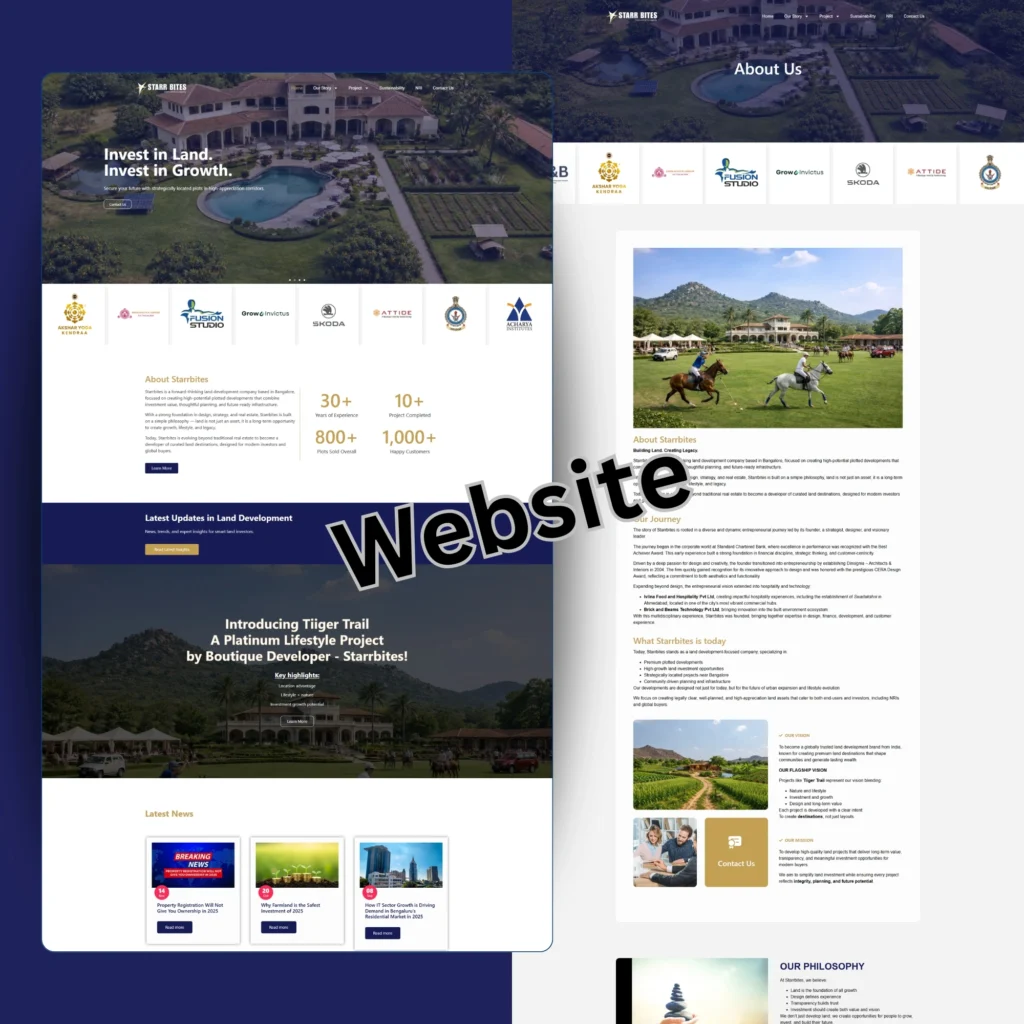
Real Estate Website Design
The Ultimate Real Estate Website Design Checklist
Whether you are building a new site from scratch or planning a major redesign, make sure your digital partner includes the following elements.
1. Mobile-Responsive Design
Over 70% of property searches happen on mobile devices. A mobile-friendly real estate website design is not optional; it is the foundation of your online presence. Your site must adapt perfectly to smartphones and tablets, ensuring that property images, contact forms, and navigation menus are easy to tap and read on smaller screens.
2. Advanced Property Listing Features
Your property listings are the core of your website. Buyers expect detailed property listing website features to help them make informed decisions. Ensure your individual property pages include:
- High-resolution image galleries.
- Clear pricing and floor plans.
- Detailed lists of amenities.
- Neighborhood and location highlights.
- An easy-to-use search and filter function (by price, location, and property type).
3. Built-In Local SEO Architecture
If buyers cannot find you on Google, your beautiful website is useless. Your site must have complete SEO optimization built into its framework from day one. For real estate, local SEO is particularly crucial. This means optimizing your site structure and content to rank for specific location-based searches, like “luxury apartments in Whitefield.” Ensure your package includes foundational SEO and optimized blogs to capture organic traffic.
4. Trust-Building Reviews and Testimonials
Buying real estate is a massive financial commitment. You must earn your visitor’s trust immediately. Displaying reviews, client video testimonials, and success stories prominently on your homepage and property pages is one of the most effective ways to establish credibility.
5. Seamless CRM Integration
When a buyer fills out a contact form, what happens next? A top-tier real estate website should feature seamless CRM (Customer Relationship Management) integration. This ensures that every lead captured on your website is instantly routed to your sales team’s database, allowing for rapid follow-ups and better lead tracking.
6. Virtual Tours and High-Quality Photography
Modern buyers want to experience a property before they ever visit it in person. Including virtual tours and high-quality real estate photography can significantly increase engagement time on your website. While this requires an upfront investment, it effectively pre-qualifies buyers, meaning your sales team spends time with people who are genuinely interested.
Real Estate Website Design
How Much Does a Real Estate Website Cost in Bangalore?
A common question is regarding the budget required for these features. While massive custom portals can be expensive, you can still get a high-performing, professional platform at a reasonable price.
For example, professional website design services for small businesses and growing agencies start at an accessible ₹19,999. This foundational package includes a minimum of 5 pages, mobile-responsive design, a clean professional UI, and complete SEO optimization. Keep in mind that website hosting is typically charged separately, averaging around ₹8,000 yearly.
Should You Hire a Professional Web Design Agency?
While DIY tools exist, real estate websites require complex integrations like property databases and lead capture forms. A professional web design company provides a dedicated team that understands user experience, design with purpose, and conversion optimization. By partnering with experts, you ensure your website represents your brand professionally, builds trust, and supports sustainable business growth without relying solely on paid ads.
Frequently Asked Questions (Real Estate Website Design)
1. How long does it take to build a real estate website?
Depending on the complexity and the number of property listings, a standard professional real estate website takes about 2 to 4 weeks to design, develop, and launch.
2. Are virtual tours necessary for my property website?
While not strictly mandatory for a basic site, virtual tours are highly recommended. They drastically increase user engagement and help pre-qualify leads before they contact your sales team.
3. What is the difference between web design and web development?
Web design focuses on the visual look, user interface, and user experience (UI/UX) of your site. Web development refers to the coding and backend integration (like connecting your site to a CRM or property database) that makes the design function properly.
4. How much will hosting cost for my real estate website?
Website design agencies usually charge for the design and build upfront. Reliable yearly hosting, which keeps your website live and secure on the internet, is typically an additional cost of around ₹8,000 per year.
5. Will my real estate website rank on Google automatically?
No. While a good agency will launch your site with foundational SEO, ranking for competitive real estate terms requires an ongoing content-led growth approach, including regular blogging and technical SEO improvements.
Conclusion
Building a successful digital presence for your property business does not have to be overwhelming. By strictly adhering to a comprehensive real estate website design checklist, you ensure that no critical feature is overlooked. From seamless CRM integrations to mobile-responsive property listings, every element plays a role in earning trust and converting visitors. Invest in a strategic, professional web design process today, and watch your online platform become your most reliable sales tool.